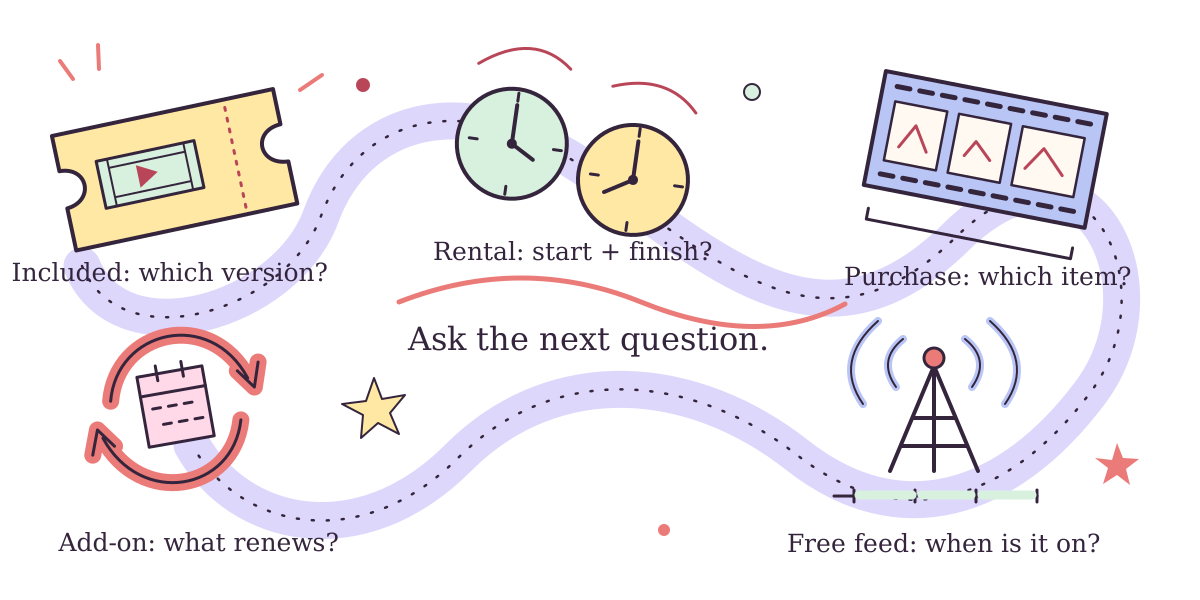
Identify the access type, the exact item and the conditions attached to it. That three-part check is more useful than assuming everything found inside Prime Video comes with the same membership. The Prime Video discovery hub helps you find an interesting story; this companion helps you read the access description before planning a viewing.
Prime Video’s help separates membership inclusion from rentals, purchases and add-ons. Amazon’s US overview also distinguishes paid subscriptions from free ad-supported channels. A familiar title or the word “channel” cannot answer every access question.
Read the description. Catch the extra assumption.
Every description below is invented for practice, not a listing or offer you can accept. Pick what the wording supports, or open the explanation directly. There is no score to chase: finding the next unanswered question is the useful part.
A film inside the membership
Imagine a film’s description says Included with Prime. You have not opened its other versions or checked another entry in the same series.
Open the explanation and next question
The description identifies membership access for that item. It does not establish inclusion for another film, season or edition. Prime Video’s access guide distinguishes included titles from separately charged options and says the included selection changes. Prime Video’s access categories.
Ask next: Is this the exact version offered to my signed-in account and intended device?
A rental with two clocks
Imagine a film is offered as a rental. You want to watch it on a later evening, but have not read the timing conditions.
Open the explanation and next question
A rental has a period before playback and a viewing window after starting. Prime Video’s rental help describes both. Keep those two questions separate instead of treating a rental as an open-ended place in your watchlist. Prime Video’s rental timing explanation.
Ask next: When must I begin, and how long do I have after starting this particular rental?
A purchase with an item boundary
Imagine you find a season heading with a purchase option below it. You have not checked whether that option selects a season or one episode.
Open the explanation and next question
Read the selected item rather than inferring its scope from the show heading. Prime Video’s purchase help directs readers to the title’s options, including playback quality. It also states that purchased access can become unavailable for limited reasons. Prime Video’s purchase-options explanation.
Ask next: Which episodes, season, edition and playback quality does this option actually identify?
An extra subscription that renews
Imagine a description explicitly offers a paid add-on subscription with recurring billing. You came looking for one program, rather than an ongoing subscription.
Open the explanation and next question
Prime Video identifies add-ons as additional paid subscriptions to other networks and services. In this imagined recurring offer, the commitment extends beyond choosing one program. Put the billing interval beside your viewing plan before deciding whether the offer fits. Prime Video’s add-on explanation.
Ask next: What renews, when, through whom, and where would I manage the subscription?
A free channel with a schedule
Imagine a channel is explicitly described as free, ad-supported and scheduled. A program you want appears in its upcoming lineup.
Open the explanation and next question
Amazon’s US overview distinguishes paid subscriptions from free ad-supported channels. Our imagined description also specifies a schedule: that is why the next question concerns timing. The word channel by itself would not establish all of these details. Amazon’s US channel and subscription distinctions.
Ask next: Does the feed’s schedule fit my plan, or am I looking for an on-demand listing?
Keep the story plan beside the access plan
Before making a real choice, write down the exact film, episode or season you mean. Add the access type and the unresolved condition beside it. “Watch the next episode” becomes a workable plan only when you know which episode, which version and whether the relevant time window fits your evening.
For a recurring add-on, keep the actual billing route visible. Prime Video’s subscription-management help describes an end date and separately addresses Apple billing. Read the instructions that apply to your purchase route instead of borrowing somebody else’s renewal assumption.
If a condition is still unclear, leave it as an open question rather than filling the gap with a guess. A recommendation can survive a change of viewing plan. Return to the Prime Video story and craft routes, or use our watch-order decision guide when the next choice is how much of a connected world to explore.